Choosing the best Desktop Switching Power Supply in 2026 depends on what your system actually needs. A compact office PC, a workstation, and a gaming tower place very different demands on a power supply. Start with the basics: suitable wattage, stable voltage regulation, low ripple, and the right connectors. Then consider efficiency, fan noise, protection features, warranty terms, and independent test results. A high wattage label alone proves little. It does not guarantee clean output or dependable performance under load.
Power-electronics researcher Robert W. Erickson describes the field as “the application of electronics to the control and conversion of electric power.” That principle matters here: a desktop unit must turn incoming power into stable outputs for sensitive components. Look for specific evidence, such as measured voltage stability and ripple under load, rather than relying only on marketing claims. Check whether reviews identify the exact model and test conditions. Small differences matter. A quiet fan may be valuable in a bedroom office, while a workstation user may prioritize sustained output and connector capacity. No single model fits everyone. Even a well-reviewed unit deserves a careful compatibility check; product revisions can change details. This guide compares the practical trade-offs, so you can judge which Desktop Switching Power Supply best fits your build, budget, and tolerance for noise. One caveat: published test results may not match your case, room temperature, or workload exactly.
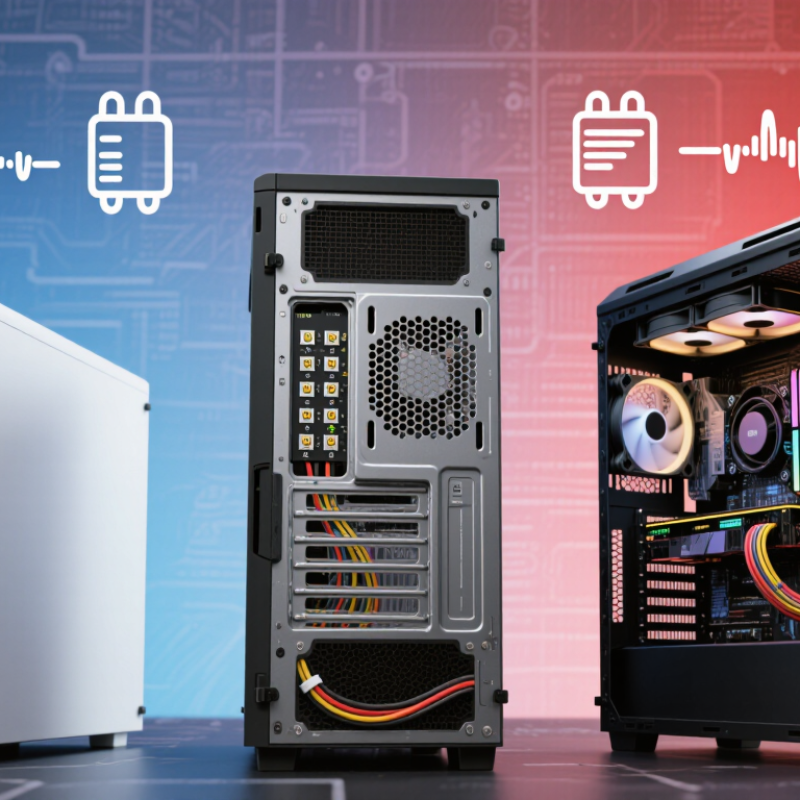
A desktop switching power supply should be sized around the components’ actual demands, not just the computer’s advertised total. Check the CPU and graphics card specifications for typical and maximum power draw. Then allow for the motherboard, memory, storage, cooling fans, and connected devices. Small loads add up.
For example, a system with a 150-watt CPU and a 300-watt graphics card already needs 450 watts for those two components. Add roughly 80 to 120 watts for the rest of the system, then leave about 20 percent headroom. That suggests looking near 650 to 700 watts, depending on the parts and workload. These figures are estimates, not a promise: brief power spikes can exceed average draw. Leave room.
Total wattage is only part of the check. Most CPU and graphics card power comes through the 12-volt output, so inspect the supply’s rating label for its available 12-volt watts or amps. At 12 volts, 600 watts equals 50 amps. Compare that capacity with the combined component demand, rather than assuming the headline wattage is all available on 12 volts. Check the label. It is easy to overlook this detail when choosing a unit, especially if you plan to add a faster graphics card later.
When comparing desktop switching power supplies in 2026, look closely at the 80 PLUS Gold rating. Under 115 V testing, Gold requires at least 90% efficiency at 50% load. That figure describes how effectively the unit converts wall power into usable DC power at one specific operating point. It does not mean every workload runs at 90%.
For example, if a supply delivers 300 watts to a computer at that test point, it would draw about 333 watts from the wall. Roughly 33 watts becomes heat. Small difference. In a warm case, that heat can affect fan behavior and internal temperatures, especially during long gaming or rendering sessions. Actual efficiency changes with load, input voltage, and operating conditions.
A sensible comparison starts with the system’s expected power draw, not the largest wattage printed on a specification sheet. Check independent test results for efficiency across several loads, plus voltage regulation, ripple, and noise. Gold certification is useful evidence, but it does not measure every aspect of build quality or reliability. I would also leave some capacity for brief graphics-card power spikes. That estimate is imperfect; component upgrades and workload changes can make today’s assumptions look optimistic. A quiet fan alone proves little.
What Is the Best Desktop Switching Power Supply in 2026?
A strong desktop power supply must handle sudden load changes, not just deliver its rated wattage. The 2022 ATX 3.0 Power Supply Design Guide specifies brief power excursions of up to 200% of rated output for 100 microseconds under defined test conditions. That figure matters when a graphics card rapidly shifts from light work to a demanding scene. It is not permission to draw double the rated power continuously. Briefly, that distinction matters.
When comparing units, check whether independent laboratory testing confirms transient response, voltage regulation, and protection behavior. A high wattage label alone cannot show how well a supply handles a sharp load spike. The ATX guide’s excursion limits provide a useful benchmark, but real results depend on the test setup and the whole system. A supply that passes a transient test may still be noisy or inefficient in everyday use.
Tips: Match the supply’s rated capacity to your system, then leave sensible headroom for short spikes. Look for published test conditions, not just a headline number. If reviews include oscilloscope traces, inspect voltage dips during load changes. A basic wall-power meter won’t reveal microsecond events. Small detail, often missed.
What Is the Best Desktop Switching Power Supply in 2026?
A dependable desktop switching power supply should protect connected components when something goes wrong. Check for overcurrent protection (OCP), overvoltage protection (OVP), and short-circuit protection (SCP). These safeguards help limit damage during faults, but their presence on a product label is not proof of effective performance. That matters.
Look for a test report or technical document tied to the exact model and output configuration. It should explain how each protection feature operates, including whether the supply shuts down, limits output, or attempts to restart. A real-world detail worth checking is recovery behavior after a brief short circuit. Does power return cleanly, or does the unit cycle repeatedly? Not just a sticker.
Also verify that documentation identifies IEC 62368-1 and applies to the specific supply, not merely a related product family. Certification claims should be traceable to an independent test organization or a verifiable declaration. Check the input range, rated output, and temperature conditions; protection performance can vary with load and heat. I would not treat a tidy specification sheet as the final word. Clear evidence is better, though even careful testing cannot predict every installation. When comparing options, ask for records before relying on claims.
There is no universally best power supply: choose one that meets the computer’s measured power needs and has protection and safety claims verified for the exact model.
| Selection dimension | What to verify | Evidence to look for | Why it matters |
|---|---|---|---|
| Output capacity | Choose a rated output that supports the CPU, graphics card, and other components under load. Check the graphics-card maker’s stated PSU recommendation and the system’s estimated power draw. | A clearly stated continuous output rating and a +12 V output rating on the unit label or official specification sheet. | A wattage number alone does not show how much power is available on the +12 V output commonly used by CPUs and graphics cards. |
| OCP — Over-Current Protection | Confirm that over-current protection is specified, and check whether +12 V is configured as a single rail or multiple rails. Trip behavior can differ by design. | An official specification, safety evaluation, or independent test report for the exact model and revision. | OCP is intended to limit excessive current; the protection threshold and implementation are model-specific. |
| OVP — Over-Voltage Protection | Look for explicit OVP coverage on the relevant output rails, rather than relying on a general “protected” claim. | The manufacturer’s protection list plus test documentation identifying the exact model. | OVP is designed to respond when output voltage exceeds specified limits; trip points and behavior should be confirmed from model-specific documentation. |
| SCP — Short-Circuit Protection | Check that short-circuit protection is explicitly listed for the outputs and that the unit shuts down or limits output safely during a fault. | A model-specific safety report or independent electrical test; a feature list is a starting point, not proof of performance. | SCP is intended to reduce the risk of damage from an output short circuit. |
| IEC 62368-1 safety | Verify that the exact PSU model is covered by an applicable IEC 62368-1 evaluation or certification. Check the edition and any regional adoption stated in the documentation. | A certificate or test report from a recognized testing or certification organization, with matching model identifiers and scope. | IEC 62368-1 is a product-safety standard for audio/video, information, and communication technology equipment. A generic standards claim does not establish certification of every model. |
| Efficiency and operating conditions | Review efficiency test data, rated input voltage, and the temperature conditions used for the rating. Treat efficiency certification as separate from electrical safety certification. | A published test record for the exact model and an input-voltage range on the product label or official documentation. | Efficiency describes conversion losses under defined test conditions; it does not by itself verify OCP, OVP, SCP, or IEC 62368-1 compliance. |
| Final purchase check | Match the exact model number and hardware revision across the unit label, specification sheet, and safety documentation. Confirm connector compatibility with the components. | Consistent model identifiers, traceable certification records, and an independent test that states its methods and results. | Product families can contain different revisions; claims for one model or revision should not automatically be applied to another. |
Practical decision rule: Prefer a unit whose capacity and connectors fit the system, whose OCP, OVP, and SCP claims are documented for the exact model, and whose IEC 62368-1 safety status can be independently verified.
A useful 2026 ranking should begin with measurements, not wattage printed on a box. Intel’s ATX 3.1 desktop power-supply design guide allows ±5% voltage regulation on the main positive rails. Compare each candidate’s logged 12 V, 5 V, and 3.3 V readings under idle and heavy loads against that limit. Smaller deviations are preferable, but a single sample can mislead. Retest if results look unusually good.
Noise needs context. Cybenetics publishes PSU noise evaluations in dBA, so compare readings at similar loads rather than treating one quiet idle result as decisive. Listen closely. A fan that stays quiet at a desk may become distracting during sustained gaming. Also check the connector list against the actual build: count PCIe power leads, CPU power plugs, and peripheral connectors, then verify cable reach inside the case. A missing plug matters more than an impressive headline rating.
Warranty deserves a documented comparison, too. Record the stated term, exclusions, and repair or replacement process from the seller’s current regional policy; coverage can vary by market. I would score measured noise, regulation, connector fit, and warranty separately before weighting them. That weighting is imperfect: a silent office PC and a loaded workstation need different priorities. Sources: Intel, ATX Version 3.1 Multi Rail Desktop Platform Power Supply Design Guide; Cybenetics PSU noise certification data.
Under 115 V testing, it requires at least 90% efficiency at 50% load. That is one test point, not every workload.
If the supply delivers 300 watts, it draws about 333 watts from the wall. Roughly 33 watts becomes heat. Small difference, noticeable over time.
No. Efficiency changes with load, input voltage, and operating conditions. A warm case can also affect fan behavior and internal temperatures.
No. Start with your system’s expected power draw, then leave sensible capacity for brief graphics-card spikes. Upgrades can upset that estimate.
Under defined test conditions, the ATX 3.0 guide allows brief excursions up to 200% of rated output for 100 microseconds. It does not mean double power continuously.
Graphics cards can change their power demand quickly. A high wattage label alone does not show how well a supply handles those spikes.
Look for independent results covering efficiency at several loads, voltage regulation, ripple, noise, and protection behavior. Test conditions matter.
Usually not. Oscilloscope traces can reveal dips during load changes. Small detail, often missed. Reviews still cannot predict every system perfectly.
Choosing the best Desktop Switching Power Supply in 2026 starts with matching its capacity to the system’s CPU and graphics-card demands, while checking how much power it can deliver on the 12 V output. Allow room for brief power spikes and future upgrades rather than selecting a unit based only on typical operating load. For efficiency, an 80 PLUS Gold rating indicates a benchmark of 90% efficiency at 50% load under 115 V testing, though real-world results can vary.
Next, assess ATX 3.x transient handling, including the ability to support up to 200% of rated power for 100 microseconds where specified. Verify protections such as over-current, over-voltage, and short-circuit protection, as well as compliance with IEC 62368-1 safety requirements. A useful final comparison should consider measured noise, voltage regulation, suitable connectors, and warranty coverage, prioritizing reliable performance and appropriate features over headline wattage alone.

Tech Adapter